
Lesson 2 of 9
Upload Your Excel File
In this tutorial, we’re going to show you how to upload your file into SpreadsheetWEB. Before uploading your workbook, make sure that your spreadsheet…
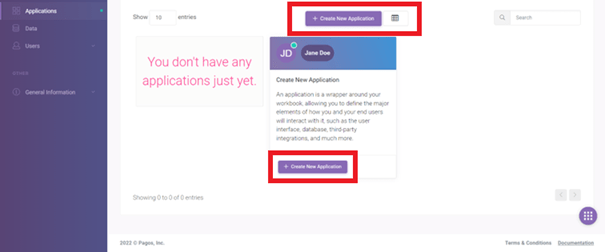
1 min readIn this tutorial, we’re going to show you how to upload your file into SpreadsheetWEB. Before uploading your workbook, make sure that your spreadsheet contains the necessary named ranges. When you’re ready to upload, login to your SpreadsheetWEB account, click Create a new Application.
Next, upload your workbook by selecting it in the Excel Spreadsheet field, or by dragging and dropping the file here. The application name will be automatically generated from the file name, but you can change it from the Name of the Application field, or do this later from Edit Application page, once the upload is complete.
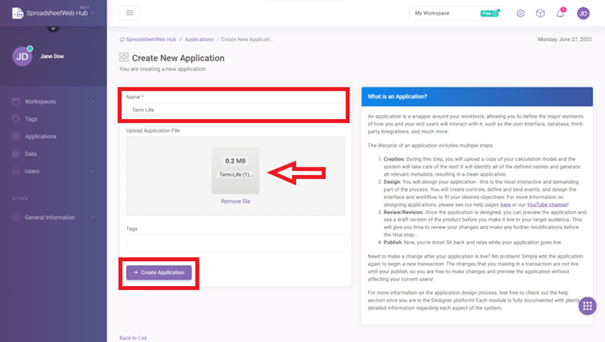
Finally, click on Create New Application.