
Whitelisting
Whitelisting can be activated on a SpreadsheetWEB server to prevent unauthorized domains or users from accessing specific applications or sites.
Whitelisting can be activated on a SpreadsheetWEB server to prevent unauthorized domains or users from accessing specific applications or sites. Authorized connections can be set at application or site level, by entering domains and/or IP addresses.
Please note that this feature is only available to the SystemAdmin user.
Application Level
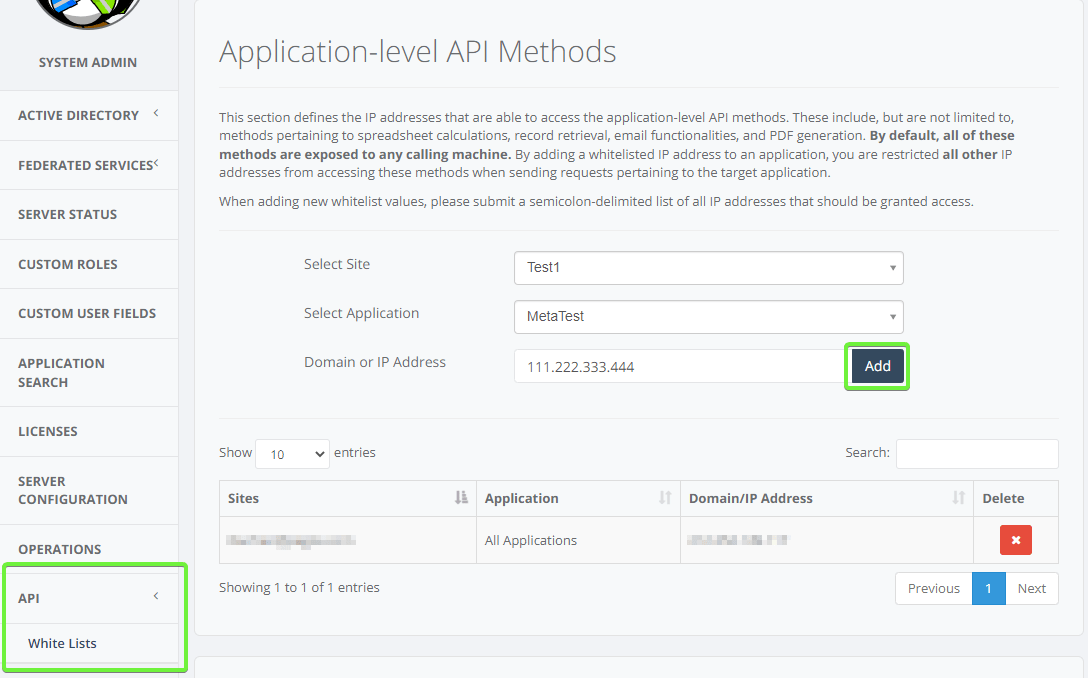
You can set specific white lists for individual apps. To access the Whitelists page;
- login as the SystemAdmin user
- go to the Administration page
- go to API > White Lists
There are 3 inputs:
- Select site: Site of application
- Select application: Name of application
- Domain or IP Address: Domain or IP address(es) which can access the selected application
Click the Add button to continue.
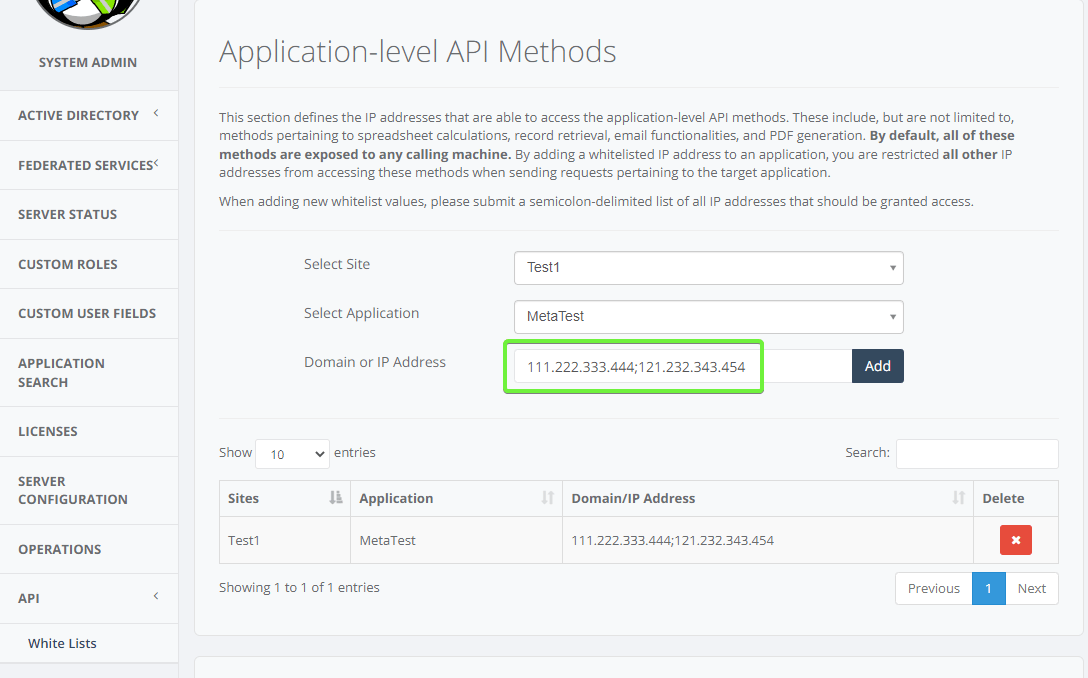
To authorize multiple domains or IP’s, use a semi colon between IP addresses.
Rule will be shown on a list below the inputs.
To remove a rule, click the Remove button next to it.
Site Level
To prevent access to all applications in a specific site, you can use the site level approach.
To access Whitelists page,
- login as the SystemAdmin user
- go to the Administration page
- go to White Lists
There are 2 inputs:
- Select site: Site of application
- Domain or IP Address: Domain or IP address(es) which can access the selected application
To authorize multiple domains or IP’s, use a semi colon between IP addresses. Click the Add button to submit your changes. Rule will be added to the table.
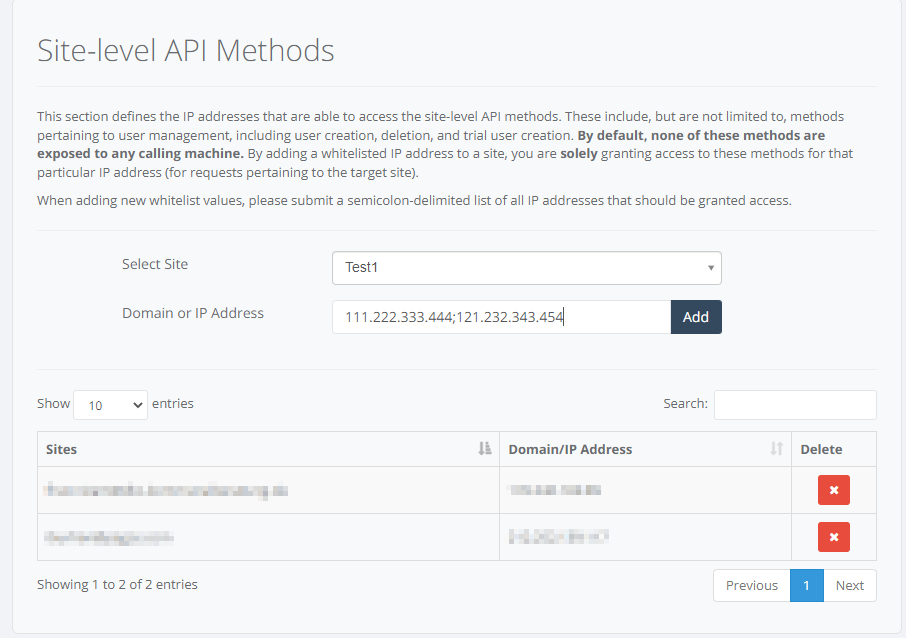
To remove a rule, click the Remove button next to it.