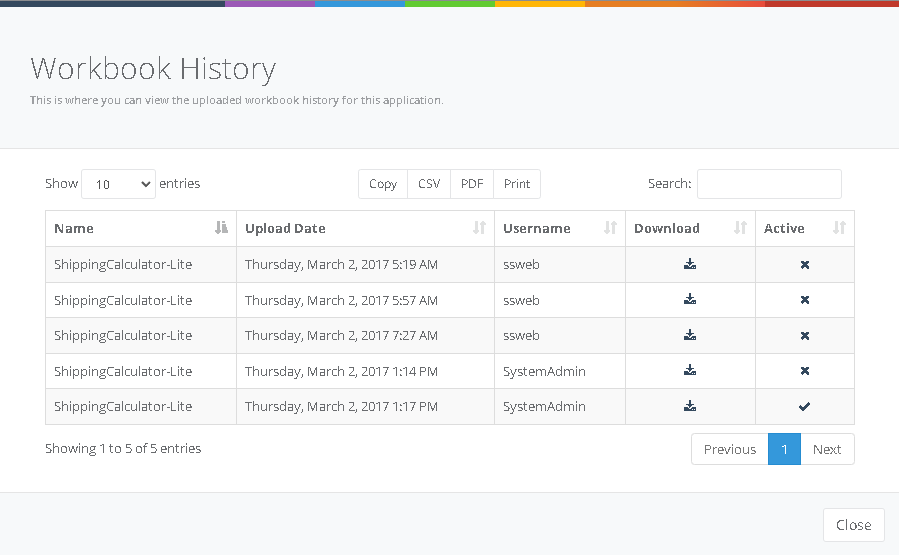
Workbook History and Version Control
Workbook History feature allows users to maintain and manage different versions of a workbook. Previous workbook versions are stored in the database.
Workbook History feature allows users to maintain and manage different versions of a workbook. As you upload newer versions of a workbook, previous versions are stored in the SpreadsheetWEB database. You can access the list of existing versions from the Edit Web Application page by clicking on the Version History found on the Edit Application page.
Version History page lists names, update time of each workbook, and the name of the user who did the updates. Also listed is a link to download each workbook version. You can change the active workbook to a previous version by clicking on the  icon next to it.